 Skip to content
 Shape responsibility together.
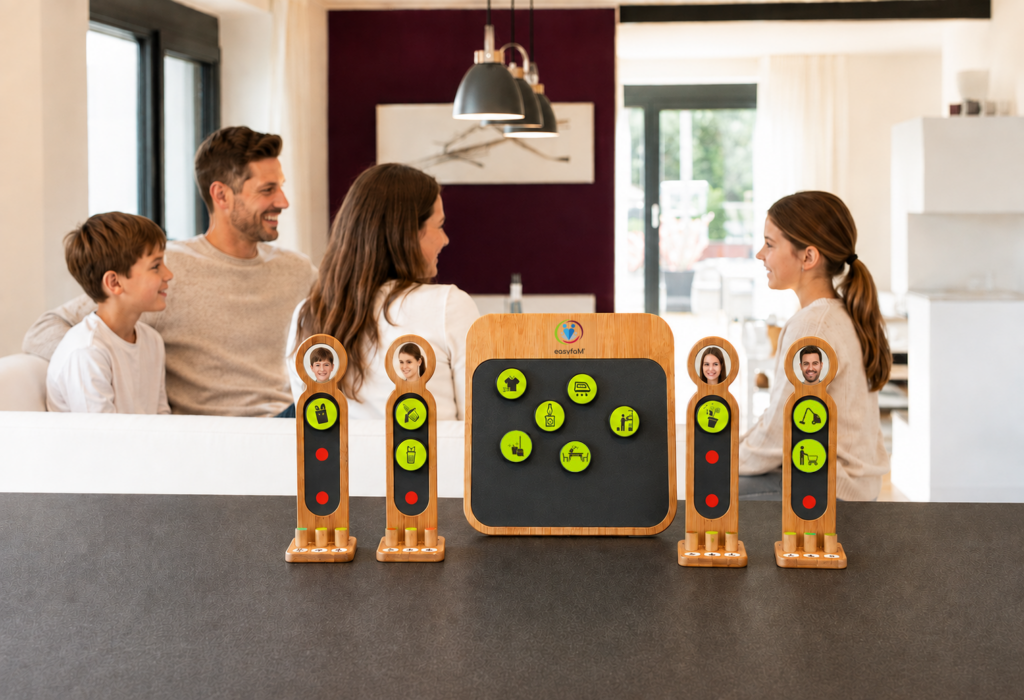
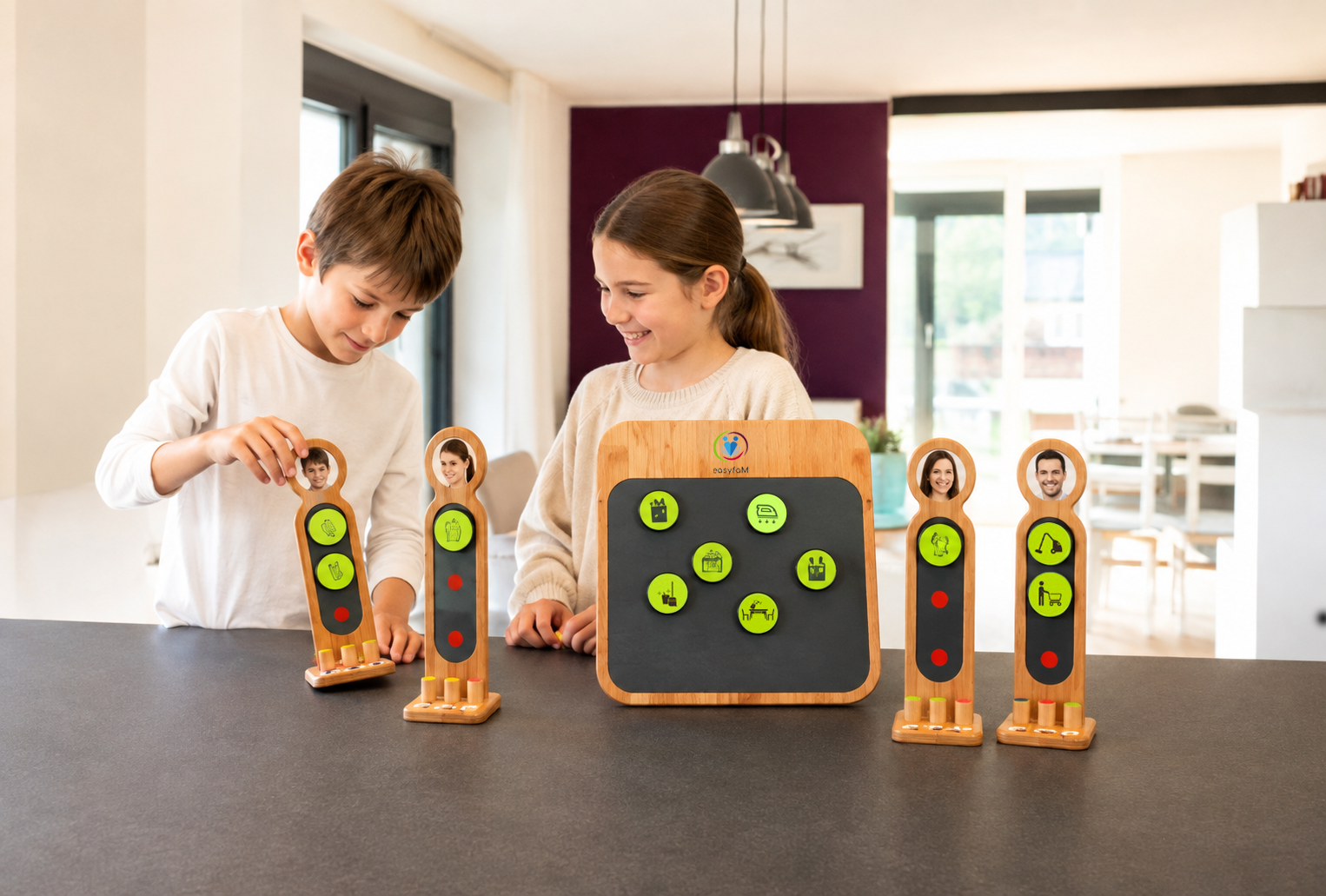
The easyfaM Taskboard brings tasks, responsibilities, and progress out of individual heads and into shared space. Children and adults gain a common overview and can carry responsibility together more reliably.
You know what still needs to be done. Some tasks have been discussed, others come up spontaneously. The kids could have been doing more for a while now—but you still often have to explain, remind, and follow up individually.
It’s not just about who sets the table today or sorts the laundry. The real coordination work lies in
The easyfaM Taskboard brings this work into a shared, visible framework. Tasks and contributions become transparent, children can participate in age-appropriate ways, and the family develops agreements everyone can refer to.

More shared overview.
Clearer agreements. More independent participation—and less daily coordination that falls on one person.
Vacation rhythm as a testing ground
When established routines become more relaxed, space can open up to try out new agreements calmly. Summer is a particularly good opportunity—though a good start is possible at any time of year.


Family organization is not an end in itself. It should free up attention, facilitate cooperation, and create room for different life goals.
Children and adults can visibly take on contributions. Family work becomes more discussable as a partnership—including between partners.
When avoidable coordination loops decrease, more energy can remain available for relationships, rest, professional engagement, career, and personal interests.
easyfaM addresses the part of work-life balance that families can shape through their own organization. Good working conditions, reliable childcare, and social infrastructure remain independent prerequisites.
The possibilities lie not just in individual household tasks, but in the changes you want to initiate together.
When tasks and reminders converge on individual people, the Board brings open tasks, responsibilities, and progress into shared space.
This creates a shared information base and mental coordination can be carried more broadly.
When children can take on more, they receive appropriate tasks, visible guidance, and real decision-making space within a clear framework.
This supports independent action and reduces situational directing.
When you want to reconsider tasks between adults, the Board makes existing family work concretely discussable.
This can be a practical starting point for shaping Mental Load and Equal Care together—with transparency and negotiation instead of blame.
When different ideas exist about time, scope, or outcome, the Board creates a common reference point.
Terms like “later,” “tidy,” or “done” can be discussed concretely and made visible as agreements.
When a routine doesn’t yet fit you well, you can bring the Board into the center of the family for a brief weekly check: What worked? Where was support needed? What do we change?
This creates routines that are allowed to evolve with your family.

The Taskboard combines visible materials with brief, recurring agreements. Its impact comes from shared use.
Recurring weekly and daily tasks get a fixed place accessible to everyone.
The family discusses who can take on something, what timeframe applies, and how “done” is recognizable.
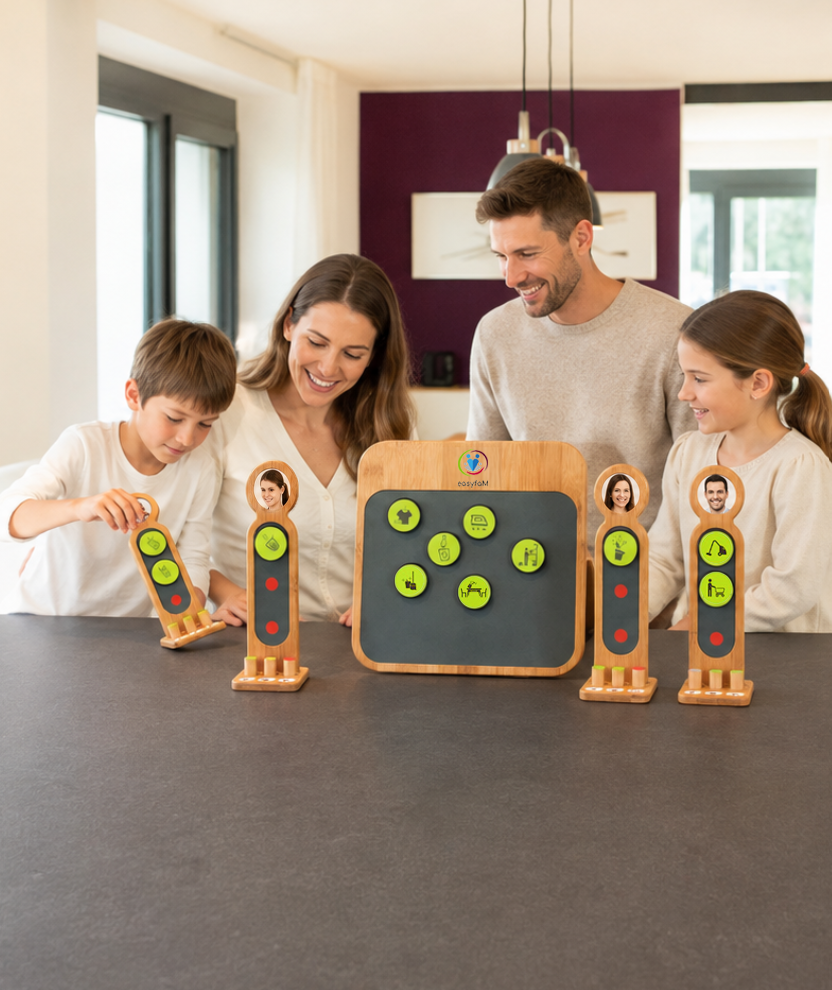
Children and adults choose or agree on appropriate contributions and assign the coin to their figure.
Tasks move from the inventory through the personal figure to the visible Done area.
In a brief weekly check, you acknowledge contributions, discuss obstacles, and develop the routine together.
Family organization often happens in apps, calendars, or in individual people’s heads. The easyfaM Taskboard gives it a fixed place in shared living space.
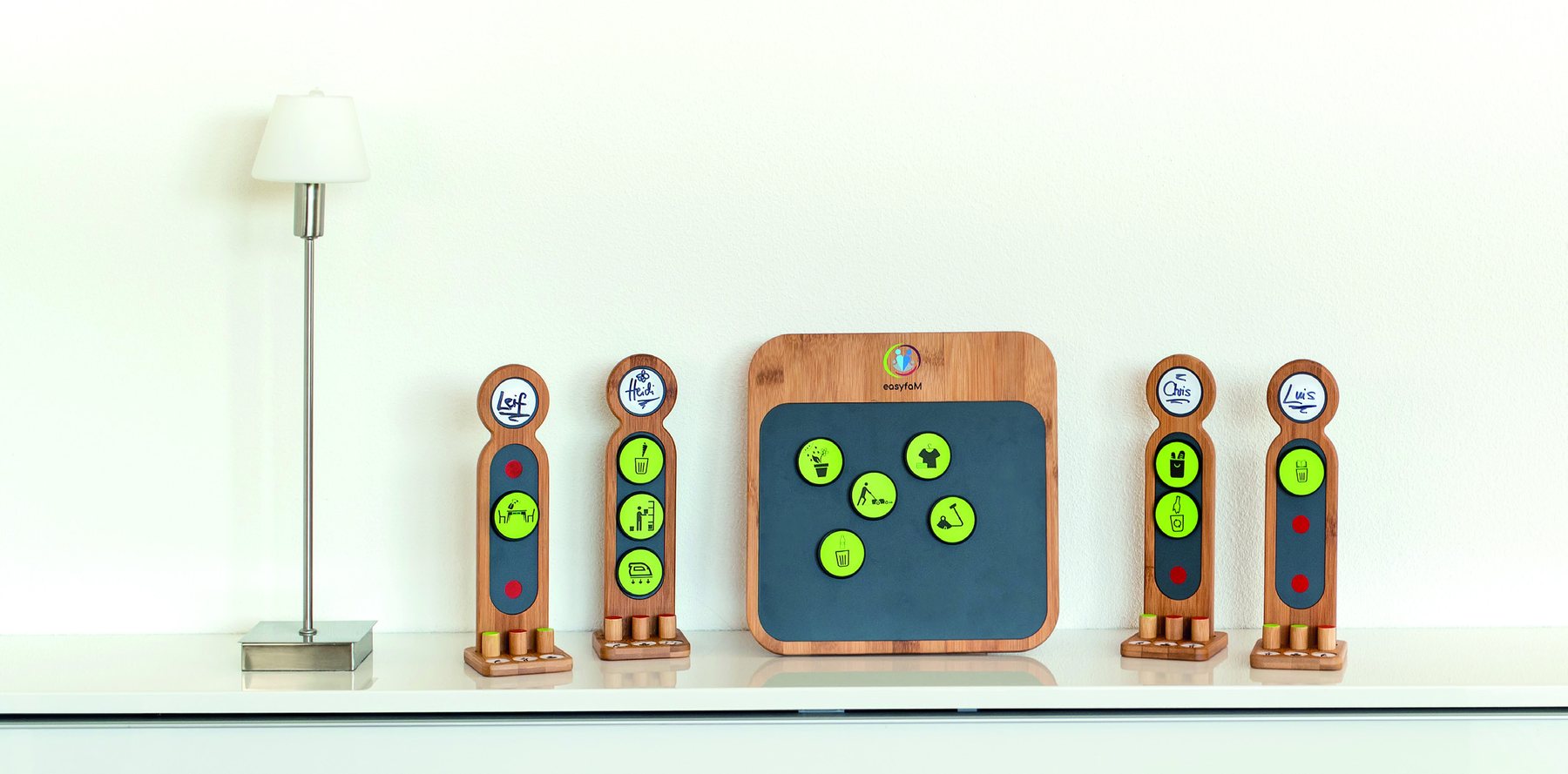
The coins can be touched, selected, and moved. The figures make responsibilities personally visible. The Board stays present and can be used directly by children and adults.


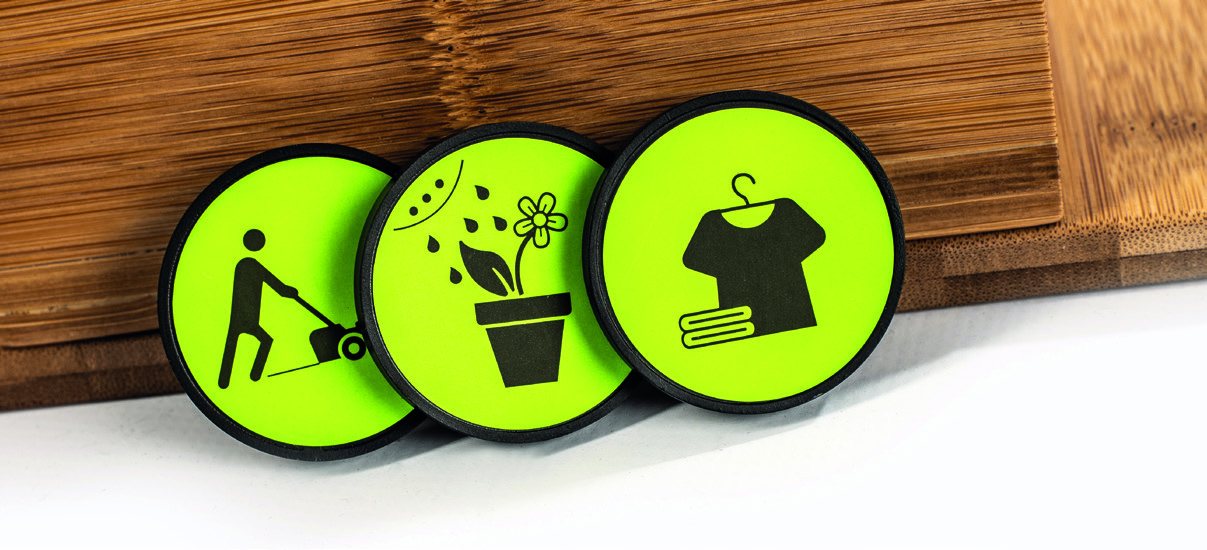
With 128 symbol stickers and blank spaces, you can represent recurring weekly and daily tasks to fit your family. The examples show the content of the coins—the real application lies in shared organization and participation.
A small, shared start creates orientation and leaves room for learning and adjusting.

Use names or photos so each family member recognizes their figure directly.

Start with a few recurring tasks and expand your set step by step.

Discuss responsibilities, timeframes, and the desired outcome together.
Place the Board visibly and bring it to your center for planning or reflection.
The professional depth supports the application. On the shop page it becomes briefly visible without explaining the Taskboard as a complete pedagogical system.
Make work visible, take responsibility, evaluate experiences, and develop processes together.
Create an accessible, prepared environment in which children can act increasingly independently.
Understand spaces and materials as co-creators of encounter, dialogue, and collaborative solution development.
The Taskboard creates favorable conditions for visibility, participation, and reflection. It does not automatically generate independence, partnership, or skills—what matters is shared, appropriate use.

1× Inventory board with stand and connecting screws
4× Personal figures with stands
12× Wooden pins with green and red ends
20× Magnetic coins
128× Stickers: 70 green and 58 white
1× Instructions for setup, preparation, and weekly check
The basic set is designed for up to four people. An expansion set is available for additional family members.
Age and safety: Particularly suitable for families with children from about five years old. The organization tool contains small parts and is not suitable for children under four years.
Concrete user experiences are more meaningful than general promises of effectiveness.

DER SPIEGEL
An external perspective can show how setup, materials, and use are experienced in practice.
Clear answers support a realistic purchase decision and show how flexibly the Taskboard can be used.
It is particularly suitable for families with children from about five years old. What matters is that the child understands the symbols and can safely handle the small parts used.
No. Families can choose between free choice, joint agreement, and clearly assigned tasks. What’s important is that decision-making spaces are understandable and age-appropriate.
Yes. The tasks and contributions of adults can also become visible. The Board can thus create a practical starting point for looking at family work and Mental Load together and making new agreements.
The Taskboard is primarily an organization and participation tool. Completed tasks become visible and can be acknowledged. Additional rewards are not required for its basic function.
The Board does not replace negotiation. Resistance can point to an unclear task, an inconvenient time, being overwhelmed, or lack of participation. Start with a few tasks and discuss together what is sustainable.
easyfaM draws on selected ideas from Montessori and Reggio and independently applies them to organizing family life. The Taskboard does not claim to be a complete Montessori or Reggio concept.
Yes. With the expansion set, the Taskboard can be extended by two more figures and additional materials.
Start with a few tasks, develop appropriate agreements, and create a shared place for family work, participation, and reflection.
easyfaM Accessibility Statement
We firmly believe that the internet should be available and accessible to anyone, and are committed to providing a website that is accessible to the widest possible audience, regardless of circumstance and ability.
To fulfill this, we aim to adhere as strictly as possible to the World Wide Web Consortium’s (W3C) Web Content Accessibility Guidelines 2.1 (WCAG 2.1) at the AA level. These guidelines explain how to make web content accessible to people with a wide array of disabilities. Complying with those guidelines helps us ensure that the website is accessible to all people: blind people, people with motor impairments, visual impairment, cognitive disabilities, and more.
This website utilizes various technologies that are meant to make it as accessible as possible at all times. We utilize an accessibility interface that allows persons with specific disabilities to adjust the website’s UI (user interface) and design it to their personal needs.
Additionally, the website utilizes an AI-based application that runs in the background and optimizes its accessibility level constantly. This application remediates the website’s HTML, adapts Its functionality and behavior for screen-readers used by the blind users, and for keyboard functions used by individuals with motor impairments.
If you’ve found a malfunction or have ideas for improvement, we’ll be happy to hear from you. You can reach out to the website’s operators by using the following email
Our website implements the ARIA attributes (Accessible Rich Internet Applications) technique, alongside various different behavioral changes, to ensure blind users visiting with screen-readers are able to read, comprehend, and enjoy the website’s functions. As soon as a user with a screen-reader enters your site, they immediately receive a prompt to enter the Screen-Reader Profile so they can browse and operate your site effectively. Here’s how our website covers some of the most important screen-reader requirements, alongside console screenshots of code examples:
Screen-reader optimization: we run a background process that learns the website’s components from top to bottom, to ensure ongoing compliance even when updating the website. In this process, we provide screen-readers with meaningful data using the ARIA set of attributes. For example, we provide accurate form labels; descriptions for actionable icons (social media icons, search icons, cart icons, etc.); validation guidance for form inputs; element roles such as buttons, menus, modal dialogues (popups), and others. Additionally, the background process scans all the website’s images and provides an accurate and meaningful image-object-recognition-based description as an ALT (alternate text) tag for images that are not described. It will also extract texts that are embedded within the image, using an OCR (optical character recognition) technology. To turn on screen-reader adjustments at any time, users need only to press the Alt+1 keyboard combination. Screen-reader users also get automatic announcements to turn the Screen-reader mode on as soon as they enter the website.
These adjustments are compatible with all popular screen readers, including JAWS and NVDA.
Keyboard navigation optimization: The background process also adjusts the website’s HTML, and adds various behaviors using JavaScript code to make the website operable by the keyboard. This includes the ability to navigate the website using the Tab and Shift+Tab keys, operate dropdowns with the arrow keys, close them with Esc, trigger buttons and links using the Enter key, navigate between radio and checkbox elements using the arrow keys, and fill them in with the Spacebar or Enter key.Additionally, keyboard users will find quick-navigation and content-skip menus, available at any time by clicking Alt+1, or as the first elements of the site while navigating with the keyboard. The background process also handles triggered popups by moving the keyboard focus towards them as soon as they appear, and not allow the focus drift outside it.
Users can also use shortcuts such as “M” (menus), “H” (headings), “F” (forms), “B” (buttons), and “G” (graphics) to jump to specific elements.
We aim to support the widest array of browsers and assistive technologies as possible, so our users can choose the best fitting tools for them, with as few limitations as possible. Therefore, we have worked very hard to be able to support all major systems that comprise over 95% of the user market share including Google Chrome, Mozilla Firefox, Apple Safari, Opera and Microsoft Edge, JAWS and NVDA (screen readers).
Despite our very best efforts to allow anybody to adjust the website to their needs. There may still be pages or sections that are not fully accessible, are in the process of becoming accessible, or are lacking an adequate technological solution to make them accessible. Still, we are continually improving our accessibility, adding, updating and improving its options and features, and developing and adopting new technologies. All this is meant to reach the optimal level of accessibility, following technological advancements. For any assistance, please reach out to